Table
A guest scans the QR code
The live menu opens on their phone. No app to download and no waiting to order.
Live
See the real screen → home
POS, kitchen display and online ordering in one connected system, with built-in AI tools for busy venues.
F1 POS is one system for your counter, your kitchen and your online orders. Every order, from the till, a table QR code or your website, lands on the same screen.
 QR & online
 Muted preview
From the first scan at the table to the manager's report: see a full service run on F1 POS.
Plays with sound when you tap. Captions are in the video.
Follow a live order through an illustrated venue. Tap a hotspot, swipe the steps, or switch from afternoon to dinner service.
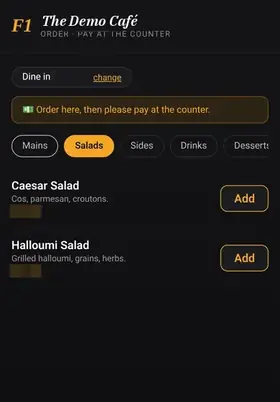
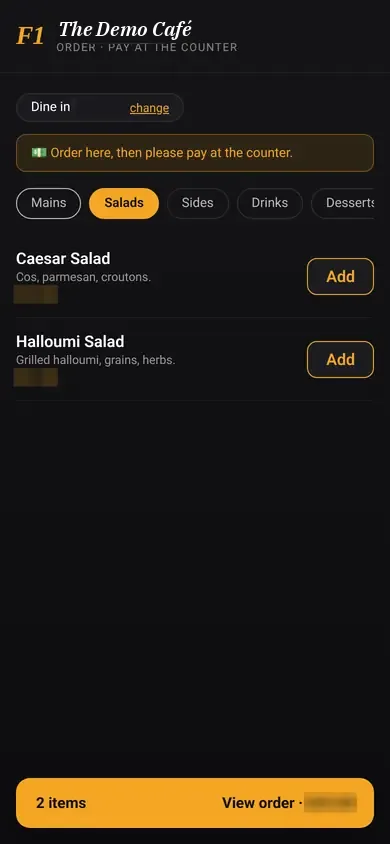
The live menu opens on their phone. No app to download and no waiting to order.
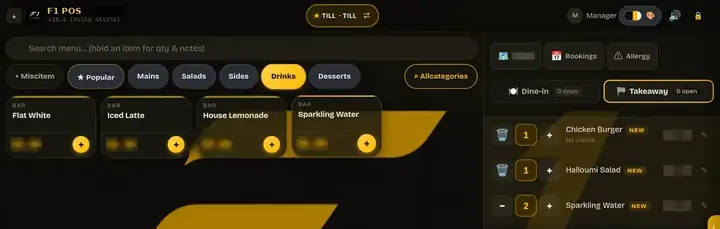
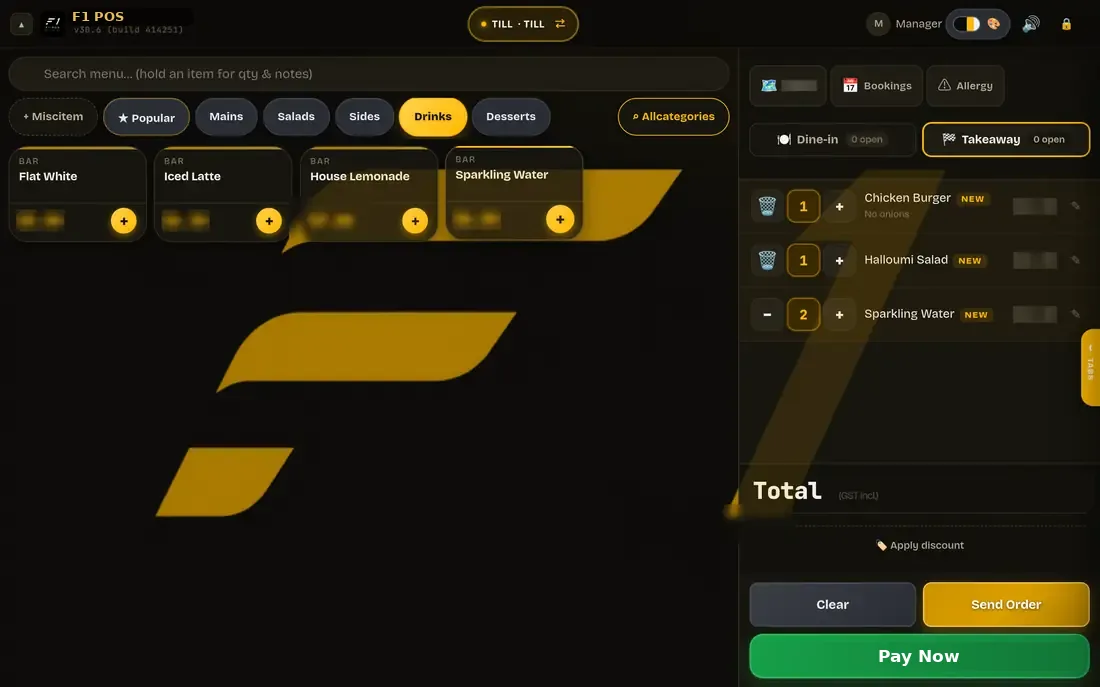
It appears on the POS with every note attached. Staff can add to it, or take a walk-in alongside it.
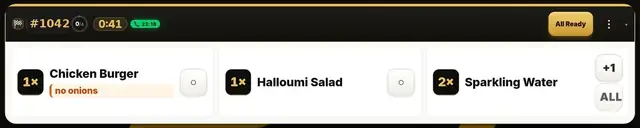
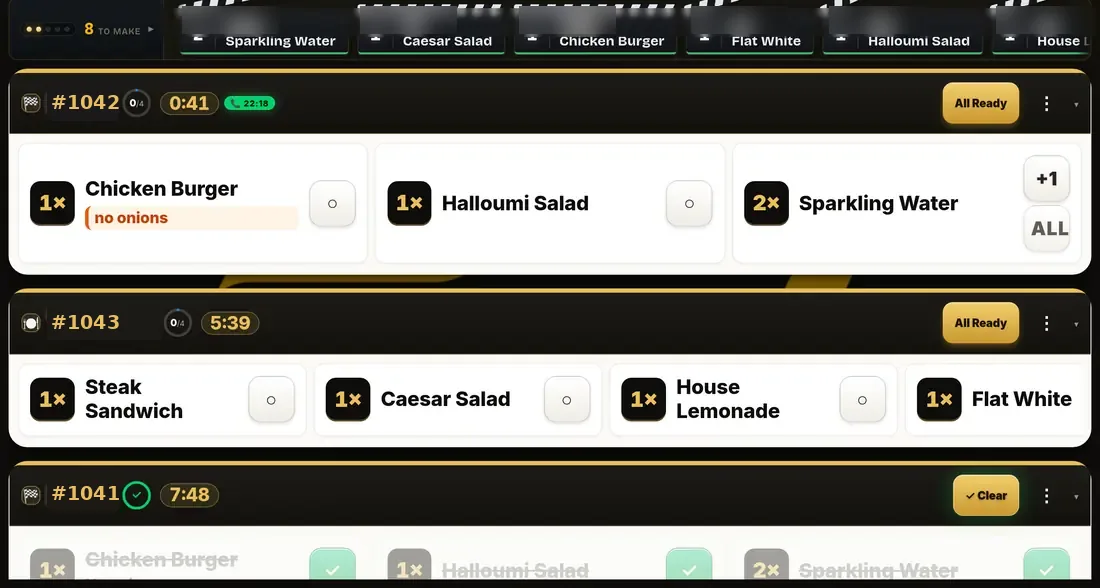
The ticket arrives on the kitchen display with “no onions” flagged, and the timer starts.
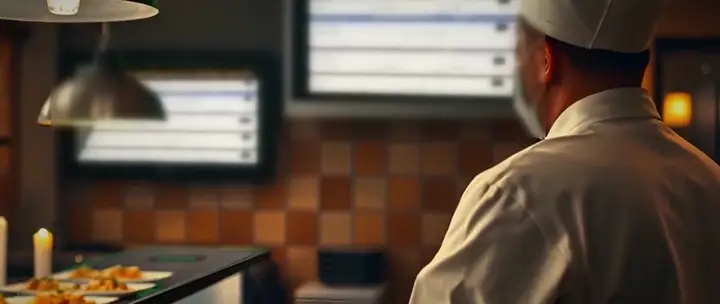
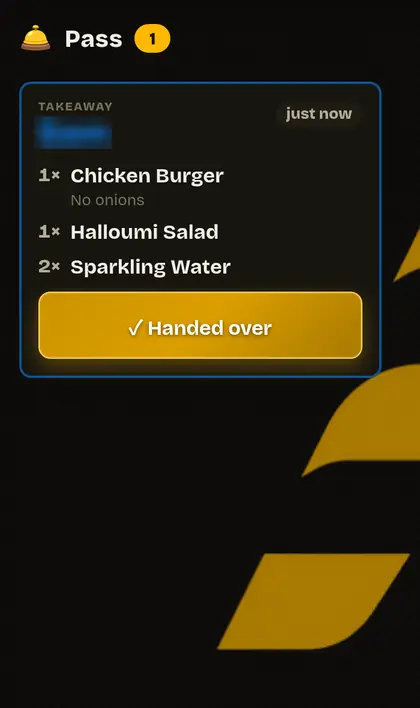
When the kitchen bumps the ticket, the pass screen shows exactly what to take out.
The terminal comes to the guest, linked to the same order.
The AI voice takes a pickup order and sends it to the same kitchen display.
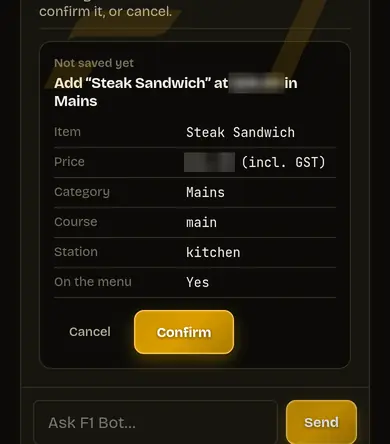
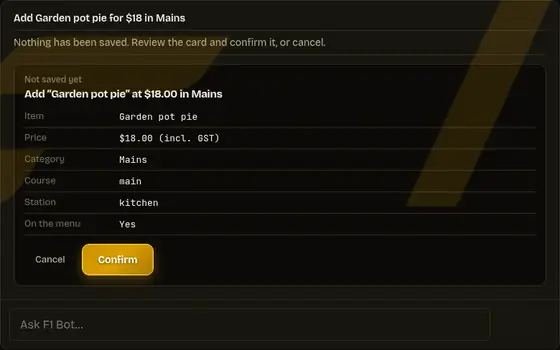
In the desktop app, F1 Bot makes menu changes and vouchers by asking, and previews every change before it's saved.
The venue and people are an original illustration and the order is a simulation. The real screens are in the next section.
Six stations, one system. Real F1 POS screens from a demo venue, with names, prices and table numbers blurred.
The live menu opens on the guest's phone from the table QR, or online. No app, no waiting to order.
QR, online, phone and counter orders sit together on one till. Notes like “no onions” stay attached to the line.
The ticket arrives on the kitchen display with “no onions” flagged and the timer running.
The kitchen bumps the ticket, and the runner screen shows exactly what to take out.
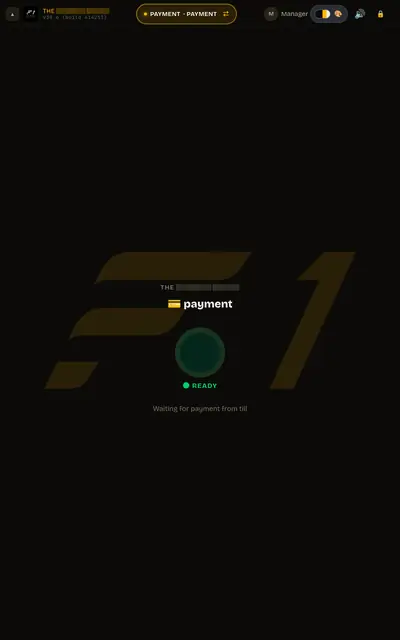
The terminal is linked to the order, so what was served is what gets paid. Card, cash, split or voucher.
In the desktop app, F1 Bot adds menu items and creates vouchers by asking. Admin-only, unlocked with a one-time code, and it previews every change before saving.
1 × Chicken Burger
— no onions
1 × Halloumi Salad
2 × Sparkling Water
Demo data from a demo venue. Status labels: Live is in the product today, Rolling out is launching now, Beta is with early venues.
Menu changes and vouchers in seconds. Type what you need. F1 Bot drafts it, you check the preview and confirm.
Point of sale, kitchen display system, QR and online ordering, AI phone ordering and F1 Bot, all in one system. Swipe through what runs your service.
Take orders and payments in a few taps, on devices you already own.
An AI voice answers, takes the order and sends it straight to your kitchen. Rolling out now.
Your admin assistant. Add or edit menu items and create vouchers just by asking.
Counter, online and phone orders land in one queue for the team.
Single site or a group — run every venue from one place.
Online and table QR ordering, flowing into the same kitchen queue.
What F1 POS connects to today. We'll confirm the right setup for your venue in your demo.
Native app on the devices you already own
LiveRuns as a web app on computers and tablets
LiveNetwork ESC/POS printers
LiveAny supported device in kiosk mode
LiveFor counter computers
LiveShows the order and total to the guest
BetaIntegrated card terminals
LiveCard readers and phone tap-to-pay
LiveIntegrated card payments
BetaOrders flow into the POS and kitchen, two-way status
BetaReservations sync
LiveNames are listed for compatibility only; no endorsement implied.
F1 POS is a hospitality POS system made in Perth for Australian venues. See what it does for a venue like yours, or read more about our café POS, restaurant POS, takeaway POS and multi-venue setup.
Real stories from our founding venues will appear here — in their own words, with their permission.
Become a founding venueWe're inviting a small group of early venues to work closely with us and help shape what comes next.
A friendly, personalised walkthrough — online or in person — focused on how your venue runs. No obligation.
Yes. F1 POS is made in Perth and built for Australian hospitality, with integrated Tyro EFTPOS and Stripe payments. CommBank terminals are in beta.
Yes. The kitchen display system (KDS) shows every order from the counter, table QR codes, kiosk and online ordering on one live screen, station by station.
F1 POS runs on devices you already own, like tablets, phones and computers. We'll talk through your setup in the demo.
Cafés, restaurants, bars, takeaway and quick-service venues — single site or multi-venue.
An AI voice answers calls, takes the order and sends it directly to your kitchen, so busy service doesn't mean missed orders. It's rolling out now — ask about it in your demo.
Your admin assistant. Ask in plain English to add or edit menu items, or create a voucher and email it to a customer. It's admin-only and verified with a one-time code.
It depends on your menu and venue. We set it up with you and agree a plan during your demo.
We're inviting a small group of early venues to work closely with us and help shape what comes next. Ask about it when you book.
No — the order flow, living restaurant and F1 Bot chat are simulations. Your demo walks through the real product.
Live is in the product today. Rolling out is launching now. Beta is available with early venues — we'll confirm what fits yours.
Pricing depends on your venue and needs. We'll go through it with you in your demo.

Counter, phone, kitchen and admin — one connected system, built for busy hospitality venues.
We reply within one business day.